
Set up once
Connected in three steps
Create an agent token
Sign in to the relay dashboard and subscribe. Run the command it shows to add WingMind to Claude Code, or copy the MCP URL and Authorization header into any other client.
Link your WordPress user
On each site, go to Users → Profile → WingMind AI and click Connect MCP relay account. Only your user is linked; everyone else keeps the site’s own AI connection.
Connect remote Agent
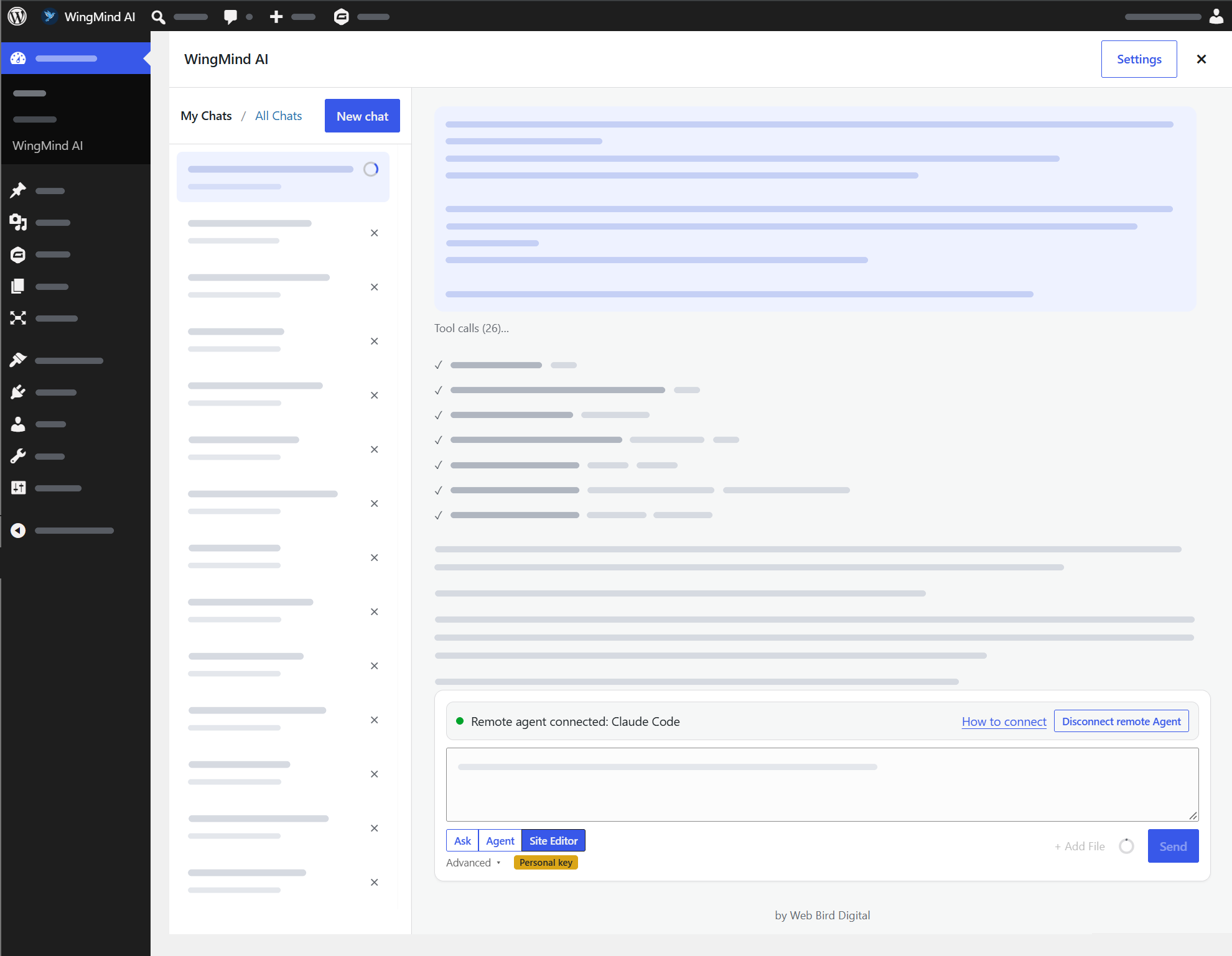
Open a WingMind chat and click Connect remote Agent. Prompt your agent, and its tool calls and replies appear live in the chat. Disconnect to hand the chat back to the built-in AI.
Why it’s different
Full access to WordPress, without handing over the keys
Your agent never gets a password or an application key. It works through your logged-in WingMind tab, so it can only do what you can do, while you’re there to see it.
No passwords handed out
Tool calls run in your open browser tab with your WordPress permissions. Close the tab and the agent loses access.
The same guard rails
Ask, Agent, Site Editor and Plan modes, confirmation prompts and the AI Audit Log apply exactly as they do to the built-in agent.
Watch it work (or don’t)
Every tool call and reply shows up in the WingMind chat as it happens, and pages open in the live editor.
One connection, every site
Link your relay account on each site you manage and reach all of them through the same MCP server. One subscription, unlimited sites.
Any MCP client
Standard MCP over Streamable HTTP with a bearer token. Claude Code gets a one-line install; other clients take the URL and header.
Use the AI you already pay for
The relay connects your agent to WordPress. Model usage stays on your existing Claude, OpenAI or other plan, so there’s no second AI bill.
More for developers
Built to be extended
Chrome extension
Set one Claude or Gemini key and your relay link once in the browser, and use them on every WordPress site you log in to.
Abilities API
Register WordPress Abilities in your own plugin and they become tools the agent can call, behind an allowlist.
Handoff SDK & skills
Prefill the WingMind chat from your plugin with PHP, REST or a JS event, and add your own slash-command skills with a filter.
MCP Relay questions
Which agents work with the relay?
Any client that speaks MCP over Streamable HTTP with an Authorization header, including Claude Code. The relay dashboard gives you a ready-made command for Claude Code and the URL and header for everything else.
Does my agent get my WordPress password?
No. Requests travel through the relay to your open WingMind tab and run there as you. Nothing is stored on the agent’s side that could log in to your site.
What happens if I close the WingMind tab?
The agent loses access to that site until you open a chat and click Connect remote Agent again.
Will other users on a client’s site use my relay?
No. The relay is linked to your WordPress user only. Your client’s team keeps using the site’s own AI connection, whether that’s managed or their own key.
Is AI usage included in the $9.95?
No, and you won’t need it to be. Your agent runs on whatever AI plan you already use. The relay subscription covers the connection to unlimited WordPress sites.