
New in 2.14 · One-click AI on every block
Your WordPress site, run by AI you can trust.
WingMind AI lives inside wp-admin. Ask about your site, or tell it what to change: pages, products, menus, templates, forms and updates. You watch it work, approve anything risky, and can roll back every change.
Free plugin on WordPress.org. Runs on Claude or Gemini, or plug in Claude Code, Codex.
Works with the tools your site already runs on
Block Editor
Site Editor
Classic Editor
WooCommerce
Gravity Forms
Yoast SEO
Redirection
ACF fields
Abilities API
Anthropic Claude
Google Gemini
Claude Code
Codex
200+
4 modes
90 days
5 sites
Is WordPress admin eating your week?
Tick what sounds familiar. WingMind takes these jobs on from a single chat, inside the dashboard you already use.
Find your fit
Built around how you work.
Find the row that sounds like you. Let us run the AI for you, or connect the coding agent you already work in. Same plugin, same guard rails.
I look after my own business site
Small edits wait until you find a spare hour
Describe the change in a sentence and check it before it goes live
I run a WooCommerce store
Hundreds of products with thin descriptions and no alt text
Products, orders, coupons and sales reports handled from chat
I manage a handful of client sites
The same admin chores repeated site after site
One subscription shared across up to five sites, with an audit trail on each
I live in Claude Code or Codex
Copy-pasting between the terminal and wp-admin
Your agent edits every site you manage through one MCP connection
What it can do
Not a chatbot. An agent that does the work.
WingMind uses real WordPress tools, with your permissions, to change your site. It opens pages in a live editor beside the chat so you can watch every block go in.
Pages, posts & blocks
Writes and rewrites copy, builds sections block by block, fills ACF and metabox fields, and finds-and-replaces across the whole site.
Design & templates
Headers, footers, templates, patterns, colours and fonts on block themes. Widgets, menus, Customizer and Additional CSS on classic themes.
Media & alt text
Drop in photos, PDFs or Word documents. It reads them, adds images to the Media Library and writes the alt text you never got around to.
WooCommerce
Products and variations, orders and refunds, customers, coupons and sales reports. Ask for last month’s top sellers and get an answer, not a spreadsheet.
Forms, SEO & redirects
Builds Gravity Forms and reads entries, writes Yoast titles and meta descriptions, and turns your 404 log into sensible redirects.
Updates & maintenance
Updates plugins, themes and WordPress core one at a time, runs database search-replace with a dry run first, clears caches and checks cron.
Where you work
Right where you already edit
A fullscreen agent for the big jobs, a sidebar in the editor for the page in front of you, and AI buttons on the blocks themselves.
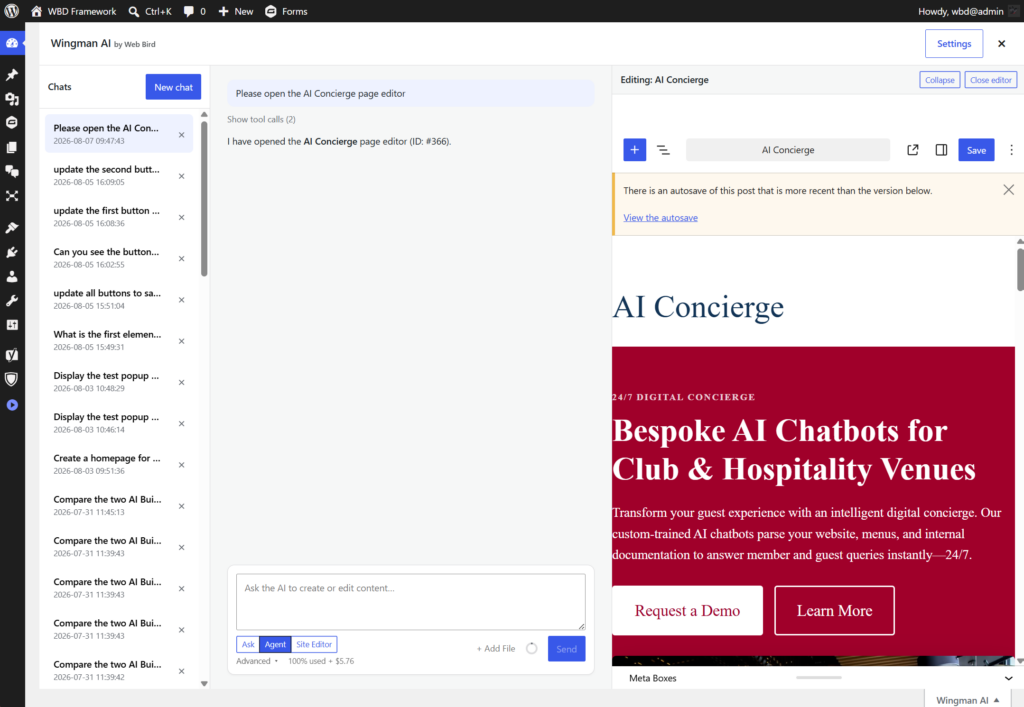
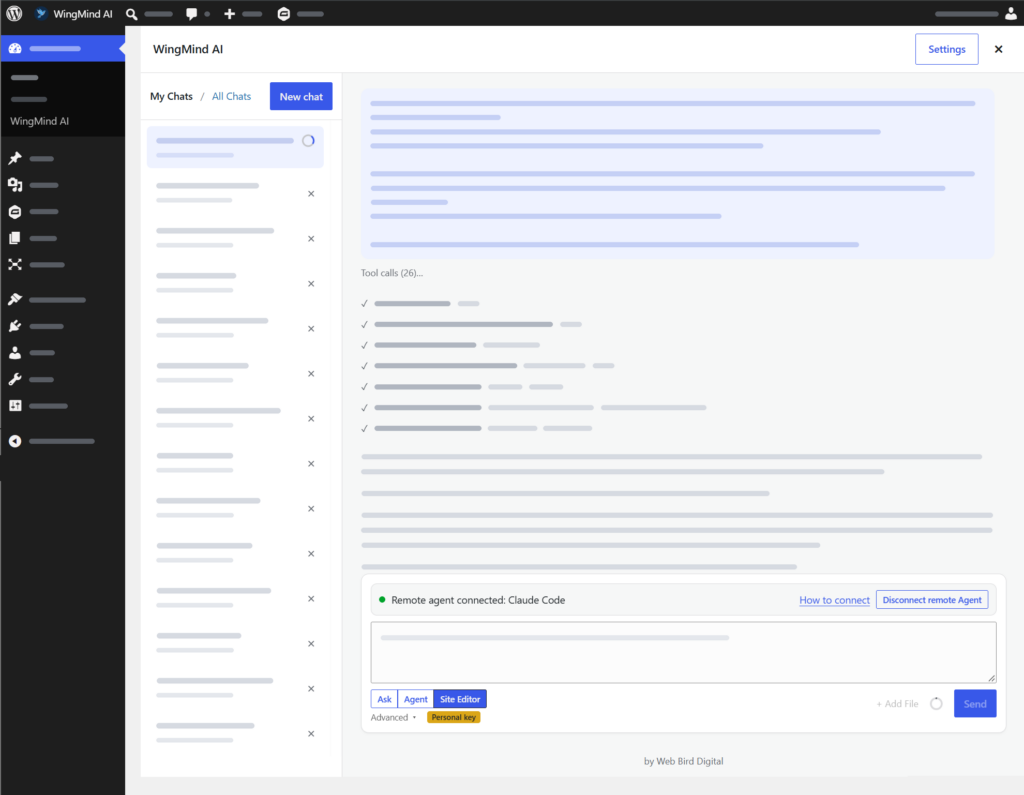
Fullscreen agent
Your whole site in one conversation
Open it from Dashboard → WingMind AI or the tab on any admin screen. Chats are saved, so you can pick up a job tomorrow where you left off.
- Pages open in a live editor beside the chat, so you see each block go in
- Attach images, PDFs, Word documents or HTML to work from
- Choose Claude or Gemini, the model and how hard it thinks
- Background processing on Gemini at roughly half the token cost
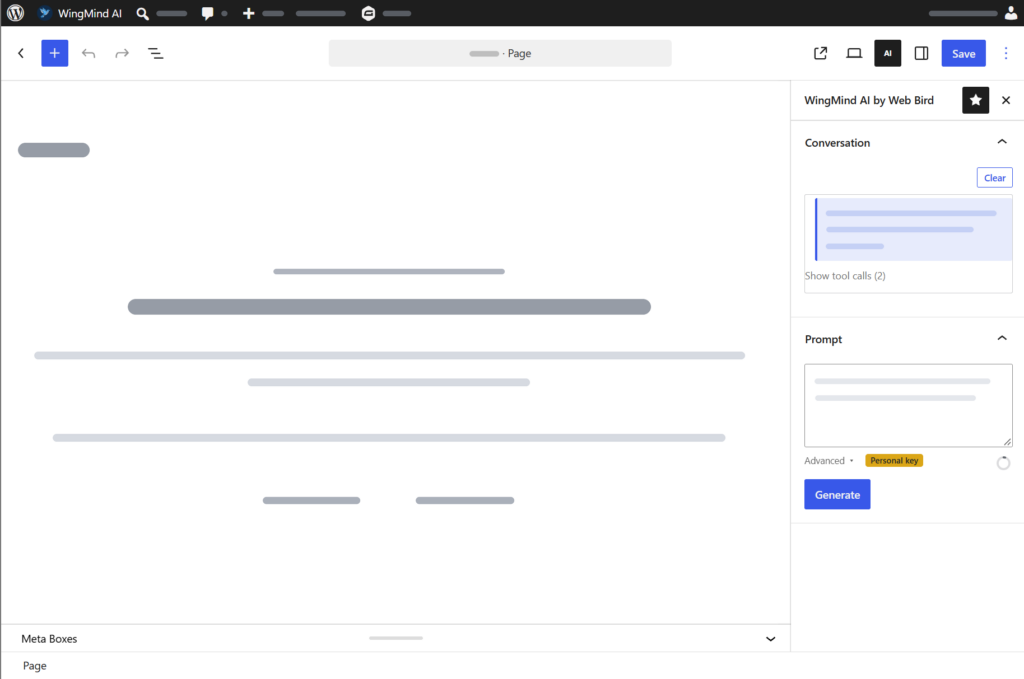
Block editor sidebar
An editor that edits with you
Ask about the page you’re on or tell the agent to change it, in the post editor or the Site Editor. Didn’t like the result? Undo last change puts it back in one click.

New: one-click AI actions on any text block, with a before-and-after compare.
Built for live sites
Powerful enough to run your site. Careful enough to trust with it.
We built WingMind to manage our own clients’ production sites, so the guard rails came first. You stay in control of every change, and every change can be undone.
| Doing it by hand | Asking WingMind |
|---|---|
| Rewrite 40 product descriptions one at a time | One prompt, every change logged |
| Hunt down every page with the old phone number | Site-wide find and replace in seconds |
| Write alt text for 200 images | Alt text drafted from what’s in each photo |
| Turn a Word document into a formatted page | Attach the file, review the finished page |
| Click update on every plugin and hope | One update at a time, checked as it goes |
Ask mode is read-only
Explore and audit freely. In Ask mode the write tools aren’t even offered to the AI.
You approve anything risky
Deletes, theme switches, plugin installs and settings changes wait for your OK, with a plain-English summary of what will happen.
Every change can be undone
The AI Audit Log keeps before-and-after snapshots for 90 days. Pick an entry and click Rollback with Agent.
Your permissions, nothing more
Every tool checks your WordPress role. An editor’s agent can’t do what only an administrator can.
Content is never a command
Instructions hidden in pages, form entries, orders or web results are treated as data, so they can’t steer the agent.
Safe saves, fresh caches
Edits that would break blocks or overwrite newer changes are refused, and page caches are purged after each save.
For developers and agencies
Bring your own agent with the MCP Relay
Already work in Claude Code, Codex or another MCP client? Connect it to WingMind once and let it edit every WordPress site you manage.
- Unlimited sites on one $9.95 AUD a month subscription
- No passwords handed out. Calls run in your open WingMind tab, with your permissions
- Same guard rails: modes, confirmations and the audit log all apply
- Watch it live: your agent’s tool calls and replies show in the WingMind chat
# 1. Add WingMind to Claude Code
claude mcp add --transport http wingmind <relay-url>/mcp \
  --header "Authorization: Bearer wmr_…"
# 2. In WordPress: Users → Profile → WingMind AI → Connect MCP relay account
# 3. In a WingMind chat: click Connect remote Agent
> Update the opening hours on all three client sites
Try asking
Say it the way you’d brief a person
No prompt engineering needed. These are real jobs WingMind handles every day, in the fullscreen agent or the editor sidebar.
Add James to the About page. His photo and bio are attached.
Build a pricing page with three plans and a comparison table.
Find every image without alt text and write it.
Our phone number changed to 1300 000 000. Update it everywhere.
Which products sold best last month? Draft a sale banner for them.
Redirect our most common 404s to the closest matching pages.
Create a quote request form and email entries to sales.
Make the header sticky and swap the menu order of Services and About.
/seo-audit the whole site, then plan fixes for the top five issues.
Get started
Up and running in about five minutes
Install the plugin
Download WingMind AI from WordPress.org, or search for it under Plugins → Add New, then activate it.
Connect the AI
Subscribe for managed AI, paste your own Claude or Gemini key, or link your MCP Relay account. The setup wizard walks you through it.
Brief it, then ask
WingMind drafts a description of your site. Pick a design style, block shapes and writing tone, then send your first prompt.
Want the details first? Read the setup guide →
Questions people ask first
Do I need my own API key?
No. The managed plan connects through our account and includes AI credit every month. If you’d rather, paste your own Anthropic Claude or Google Gemini key, or use the MCP Relay with the agent you already work in.
Which AI models does it use?
With your own key you choose: Claude Haiku, Sonnet or Opus, or Gemini Flash models and Gemini 4 Argon, plus a thinking-level slider. On the managed plan we choose the provider for your site and keep it up to date.
Is it safe to use on a live site?
Yes. Ask mode is read-only, anything destructive waits for your confirmation, the agent only has your WordPress permissions, and every change is logged with before-and-after snapshots you can roll back for 90 days.
Does it work with my theme or page builder?
It works with the block editor, the Site Editor and block themes, and with the Classic Editor and classic themes, including ACF and other custom fields. Page builders such as Elementor, Divi, Beaver Builder, WPBakery, Oxygen and Bricks aren’t supported for editing.
Can one subscription cover more than one site?
Yes. A managed subscription can be shared across up to five sites with one monthly allowance. The MCP Relay covers unlimited sites.
What if I use up my monthly credit?
Turn on On-Demand Spending and keep working, charged by usage up to a monthly limit you set (up to $200 AUD). Leave it off and nothing extra is ever charged.
Is there a chatbot for my website visitors?
No. WingMind runs in wp-admin for people who manage the site. It never appears on the front end.